Slime Out Fish Controls
Cast, scrape, inventory, settings, and shops on PC and mobile.
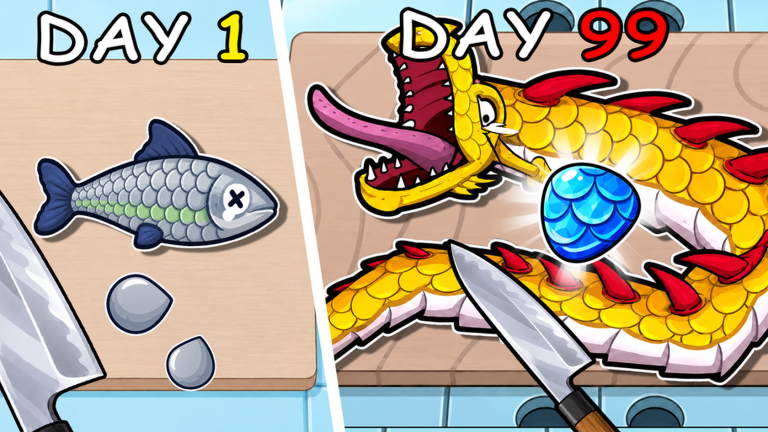
You cannot optimize Slime Out Fish if half your first hour is spent hunting buttons. This controls guide covers the actions that matter on PC and mobile: casting the rod, scraping scales, opening inventory, using settings (including code redemption), and reaching rod, knife, and bait shops. Pair it with Getting Started so muscle memory and progression move together.
Roblox input differs slightly by device and camera mode, but the gameplay verbs stay consistent across the six-player servers. Learn the verbs, then ignore the rest of the HUD until you need it.
Core verbs
Cast / fish
Equip your fishing rod from the toolbar or inventory. Aim toward open water at the dock and use the primary action to cast. Wait for the bite prompt, then complete the catch interaction. Early rods (Beginner, then Toy Rod) forgive mistimed casts; mid rods with more depth and luck still need clean completion or you waste the bait charge. If multi-catch bait is active, stay ready for additional bite resolutions instead of walking away mid-cast.
On PC, expect mouse aim plus click or a bound action key for cast and catch confirms. On mobile, use on-screen tap targets for cast and catch; keep thumbs clear of the joystick when the bite UI appears so you do not steer away from the prompt.
Scrape / scale
After fish are in your possession, switch to your knife and enter the scaling flow. Perform the scrape interaction carefully—perfect scrapes pay more when feeding ducks. Rushing on mobile touchscreens is the usual cause of incomplete results. If perfects collapse even with patient inputs, your knife tier is the problem, not the control scheme—read Perfect Scaling and the knives tier list.
Feed ducks
Carry scaled fish to the hungry animals and complete the feed interaction to receive Cash. This is not a combat QTE; it is a delivery step. Clearing scrapes before you sprint across the map keeps the loop tight.
Inventory and equipment
Open inventory to swap rods, knives, bait, potions, and totems. Equip the tools you intend to use before a weather window starts—Meteor and Thunder are bad times to browse. Keep luck potions and Lucky Totems accessible but unequipped until Weather Events say the sky is worth it.
Settings and codes
The settings control (commonly top-right in Slime Out Fish) opens options and the code redemption field. Enter codes exactly as listed on the codes page, confirm, then check inventory/Cash for rewards. Redeem at session start before shopping. Settings is also where you adjust audio or other comfort options if scrape cues are hard to hear on your device.
Like-and-favorite prompts for the starter chest are separate from settings but belong in the same “clear free rewards” pass described in Getting Started.
Shops: rods, knives, bait
Find the shop NPCs or shop UI for:
- Rods — Beginner → Toy → Bamboo/Carbon Fiber → Lightning, Ice Arrow, Crystalline, and beyond. Compare depth, luck, and strength before buying; see rods tier list.
- Knives — Kitchen Knife (~$15) first, then Chef/Alloy/Sharpener tiers; Seaside Overlord is late. See knives tier list linked above.
- Bait and boosts — Multi-catch bait around $30+, luck potions, totems. Details on bait and boosts.
On mobile, pinch-zoom or camera adjust if a shop prompt is behind another player—six-player servers can crowd a counter. On PC, a small camera orbit usually reveals the interact highlight.
PC vs mobile quick reference
| Action | PC focus | Mobile focus |
|---|---|---|
| Move to dock / Thunder Siam | WASD or standard Roblox move + camera | Thumb stick + camera drag |
| Cast / catch | Aim cursor, primary action | Tap cast/catch buttons cleanly |
| Scrape | Deliberate click/key cadence for perfects | Deliberate taps; avoid joystick drift |
| Inventory / equip | Hotbar numbers + inventory menu | Inventory button + tap equip |
| Settings / codes | Top-right settings → code field | Same control, larger touch target |
| Shops | Walk to vendor, click prompt | Walk close, tap prompt |
Quality-of-life habits
- Rebind only if Roblox/device settings allow and you have already learned defaults—do not reinvent controls mid-Meteor.
- Before Aurora, Thunder, or Meteor, pre-equip rod, knife, and bait; leave potions on a hotbar slot.
- After big hauls, stop moving while scraping so touch or mouse drift does not break perfects.
- When turning weather fish into Starlight, path to Thunder Siam at map center with inventory already holding the fish—no mid-run menu diving.
- If UI scale feels tiny on phone, use device-level display settings; mis-taps cost perfect scrapes and Cash.
Controls mistakes that cost Cash
- Casting with the knife equipped (or scraping with the rod equipped).
- Opening the shop during a weather-fish spawn window.
- Redeeming codes after you already spent your only Cash on the wrong upgrade.
- Panic-tapping scrapes on mobile until every result goes incomplete.
- Forgetting how to open settings when a new code drops on the wiki.
Master these inputs, then spend brainpower on economy decisions via How to Earn Cash and the upgrade checklist. Slime Out Fish is simple to touch and easy to fumble—clean controls keep the loop honest.
Frequently Asked Questions
Quick answers to the most common Slime Out Fish questions.
Where do I redeem codes in Slime Out Fish?
Open the settings control (typically top-right), find the code field, enter a working code from the codes page, and confirm to receive Cash or items.
How do I cast on mobile?
Equip the rod, aim toward the water, and tap the on-screen cast control. When the bite appears, tap the catch confirm without dragging the move stick.
Why do my scrapes fail on touchscreens?
Rushed or drifting taps cause incomplete scrapes. Pause movement, tap deliberately, and upgrade the knife if perfects still fail on common fish.
How do I open shops?
Walk to the rod, knife, or bait vendor/UI, then use the interact prompt (click on PC, tap on mobile). Camera-orbit if another player blocks the highlight.
What should I equip before bad weather ends?
Before Aurora, Thunder, or Meteor, equip your best balanced rod and knife, load bait, and keep luck potions or totems one tap away.